5% Off Powermat

Join The Community

Showing posts with label JailbreakMe. Show all posts
Monday, August 2, 2010

Fix FaceTime and MMS Problem on iPhone 4 After Jailbreaking with JailbreakMe 2.0


I just found out about this fix from Redmond Pie’s Facebook fanpage and thought I should share it with you all. If you cant wait for JailbreakMe update, here is a quick possible fix for FaceTime and MMS issue on iPhone 4 after jailbreak using JailbreakMe 2.0 (Star). Simply follow the step by step guide below to fix the issue.


Step 1: Follow the step by step guide posted here to jailbreak your iPhone 4, 3GS on iOS 4.0.1 / 4.0 using JailbreakMe.


Step 2: Once you are done with the jailbreak, start “Cydia” on your iPhone.


Step 3: Touch on “Manage” tab on the bottom.


Step 4: Now touch on “Sources” as seen in the screenshot below:

Cydia iPhone 4 (1)
Step 5: Touch on “Edit”, and then on “Add”. You should now be prompted to enter a url source as seen in the screenshot below. Type“http://iphonedelivery.advinux.com/cydia/” and click on“Add Source”.
Cydia iPhone 4 (2)
Cydia will now automatically update your sources by following a series of automated steps.
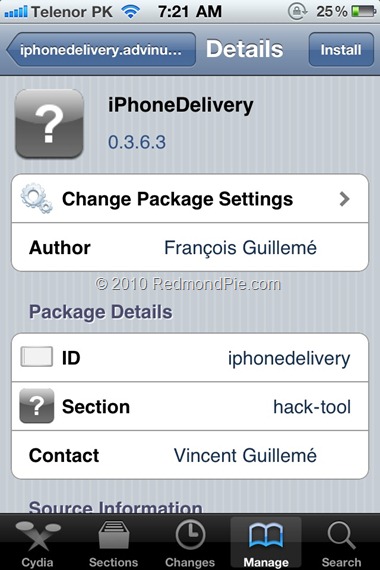
Step 6: After installation is completed. Search for “iPhoneDelivery” in Cydia and install this application. This app apparently fixes both the FaceTime and MMS issue.
Cydia iPhone 4 (3)
Let us know how this one goes for you in the comments section below. [Thanks Ran Cohen for the share on Redmond Pie’s Facebook Fanpage]


UPDATE 1: JailbreakMe has been updated which has fixed all the problems related to FaceTime and MMS. If you are doing a fresh jailbreak, you will not have any of these issues. Existing users will need to do a “Complete Upgrade” of Cydia followed by a reset of Network Settings. To do this, simply fire up Cydia and let the loading to finish. It will now automatically ask you to update Cydia. Touch on “Complete Upgrade” and reboot the device once it is done. Go to Settings –> General –> Reset –> Reset Network Settings. Reboot the device again. The problem should be fixed now.

You can follow me on twitter to keep yourself updated on all the latest iPhone jailbreaking and unlocking releases.


Source: redmondpie
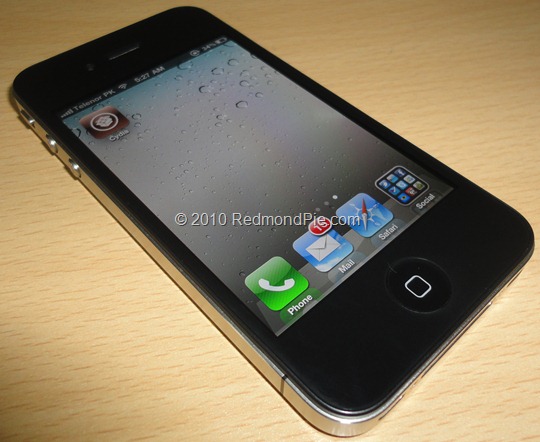
Jailbreak iOS 4.0.1 on iPhone 4, 3GS New Bootrom with JailbreakMe 2.0 Star [How to Guide Video]


The iPhone Dev-Team (Comex) has released JailbreakMe 2.0 (aka Star) which can jailbreak all iOS devices on their latest respective firmware like iOS 4.0 / 4.0.1. This does not work with iOS 4.1 Beta release. Since JailbreakMe 2.0 is a userland jailbreak, what this means is that you run it right in your iOS Safari browser to jailbreak the device. It cant get simpler than that !

iPhone 4 Jailbreak
The following step by step instructions, along with video are for iPhone 4iPhone 3GS(New bootrom / old bootrom) and iPhone 3G users. One thing which is important to note here is that this jailbreak tool doesn’t hacktivate your device. You will need an original supported SIM card to activate your phone with iTunes. If you don’t have an original SIM, you can follow the instructions in this video guide posted here to activate your phone without having the original SIM card.
Step 1: Start iTunes and backup everything from Contacts, Calendars, Photos, Videos and Apps.
Step 2: Update your iPhone 4, 3GS or iPhone 3G on the latest iOS 4.0.1 firmware with iTunes. Download links for the firmware and iTunes 9.2.1 can be found below.
Step 3: Once you are done with the update, make sure you are connected to a WiFi network. I haven’t tested it on 3G so I recommend using it on a reliable WiFi network.
Step 4: Open Safari on your iPhone 4, 3GS or 3G and navigate to http://jailbreakme.com.
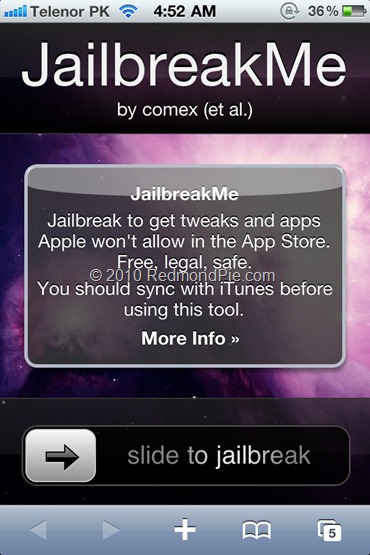
Step 5: “Slide to Jailbreak” to begin the jailbreak process.
iPhone 4 JailbreaMe 2.0 Star (1)
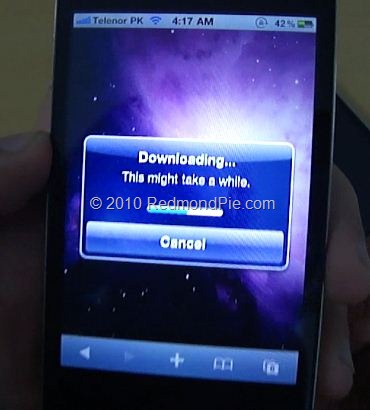
Step 6: Wait till the jailbreak tool download the required files..
iPhone 4 JailbreaMe 2.0 Star (3)
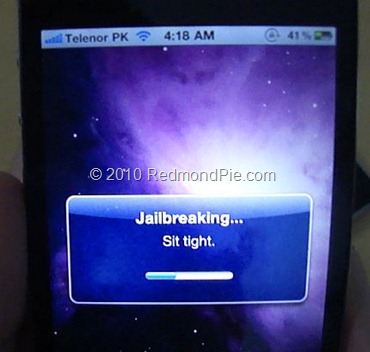
Step 7: Once the download is completed, it will automatically start the jailbreak process. Just don’t do anything silly at this point. Wait till the jailbreak process is completed.
iPhone 4 JailbreaMe 2.0 Star (4)
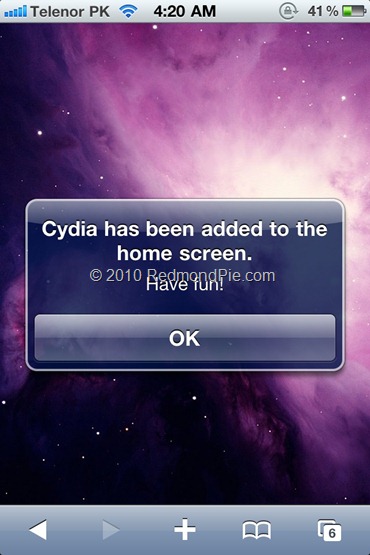
Step 8: Once done, you will be greeted with the following message.
iPhone 4 JailbreaMe 2.0 Star (2)
Step 9: Close the browser and look for Cydia. You should now have it on your phone!
Here is the video, showing all the above instructions in detail:
*video is processing, it will show up as soon as it is done..*
Make sure you subscribe to our Youtube Channel here for future videos related to iPhone, Android and Windows phones.
How to Unlock on iOS 4 / 4.0.1 (Any Baseband):

  • iPhone 3GS / 3G: Simply follow the step by step guide posted here to unlock your iPhone so that you can use it with any carrier you like. It is supported on all basebands upto 05.13.04.
  • iPhone 4: Wait for the iPhone Dev-Team to release the updated Ultrasn0w which can unlock it on this latest firmware.
Download iTunes 9.2.1
Download iOS 4.0.1 for iPhone 4, 3GS and 3G
UPDATE 1: Want to jailbreak your iPod touch 3G or iPod touch 2G MC Model? Follow the step by step guide posted here!
UPDATE 2: Those of you who are having problems with FaceTime and MMS should follow the steps posted here to fix the issue.

You can follow me on twitter to keep yourself updated on all the latest iPhone jailbreaking and unlocking releases.

Source: redmondpie
Jailbreak iPhone 4, 3GS, 3G on iOS 4 / 4.0.1 and iPad on iOS 3.2.1 with JailbreakMe 2.0


JailbreakMe 2.0 Star is the name! – The userland jailbreak for iPhone 4, iPhone 3GS, 3G on iOS 4 / 4.0.1, iPod touch on iOS 4, and iPad on iOS 3.2.1 is out !!. It is a browser basedjailbreak, all you have to do is to browse to http://jailbreakme.com from your iOS device tojailbreak it. Servers are probably thrashed right now. Keep trying until you successfully load the page. We will be back with quick how-to guides soon. Stay tuned for that !!

JailbreakMe
UPDATE 1: Full list of supported devices is as follows [Thanks to Daniel Le for posting this on Redmond Pie’s Facebook fanpage]
iPod 1G on 3.1.2
iPod 1G on 3.1.3
iPod 2G on 3.1.2
iPod 2G on 3.1.3
iPod 2G on 4.0
iPod 3G on 3.1.2
iPod 3G on 3.1.3
iPod 3G on 4.0
iPad on 3.2
iPad on 3.2.1
iPhone 3G on 3.1.2
iPhone 3G on 3.1.3
iPhone 3G on 4.0
iPhone 3G on 4.0.1
iPhone 3G[S] on 3.1.2
iPhone 3G[S] on 3.1.3
iPhone 3G[S] on 4.0
iPhone 3G[S] on 4.0.1
iPhone 4 on 4.0
iPhone 4 on 4.0.1
UPDATE 2: Early reports confirms that this new jailbreak is breaking FaceTime and MMS. We will let you know as soon as we have more on this.
UPDATE 3: Complete How-to Guide to Jailbreak iPhone 4, iPhone 3GS (New Bootrom) with JailbreakMe 2.0 (Star) Is up! Follow all the instructions posted here.
UPDATE 4: Complete How-to Guide to Jailbreak iPod touch 3G and iPod touch 2G MC Model with JailbreakMe 2.0 (Star) Is up! Follow all the instructions posted here.
UPDATE 5: Those of you who are having problems with FaceTime and MMS should follow the steps
posted here to fix the issue.

Source: redmondpie